
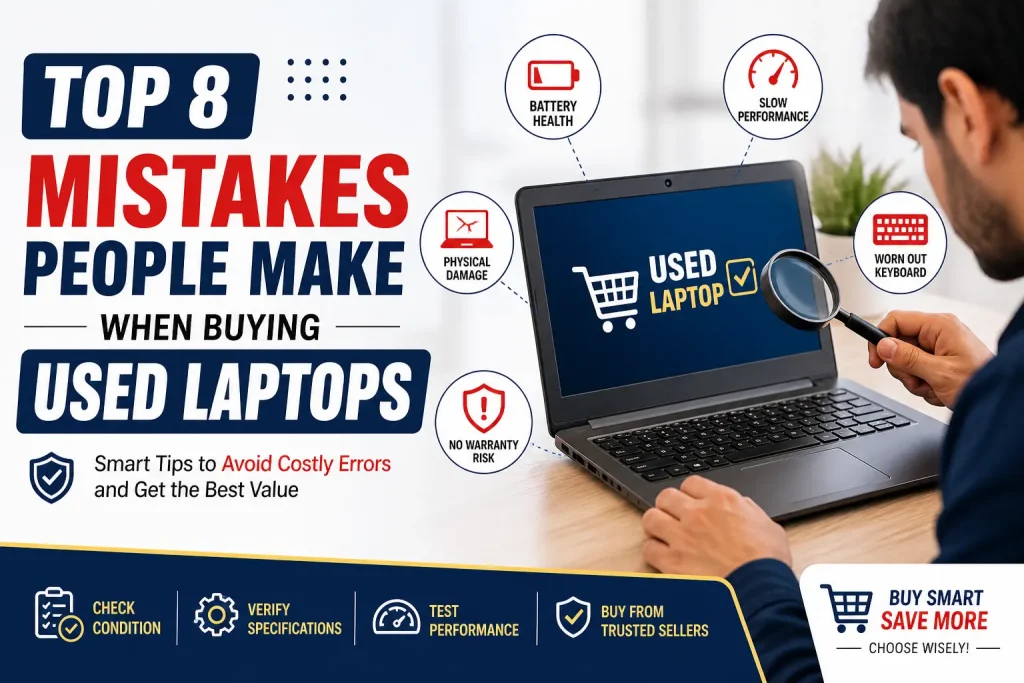
Buying a used laptop can be a smart decision especially if you want high performance at a lower price. However, many buyers make critical mistakes that lead to wasted money, poor performance, or even scams. Therefore, understanding these mistakes is essential before making a purchase.
In this guide, you’ll learn the top 8 mistakes people make when buying used laptops, along with practical tips to avoid them. Additionally, this article follows semantic SEO, uses intent-based keywords, and ensures high readability for both users and search engines.
Table of contents
- Why Buying a Used Laptop Can Be a Smart Choice
- Mistake #1: Not Checking the Laptop’s Physical Condition
- Mistake #2: Ignoring Battery Health
- Mistake #3: Not Verifying Hardware Specifications
- Mistake #4: Buying Without Testing Performance
- Mistake #5: Not Checking for Original OS and License
- Mistake #6: Ignoring Seller Reputation
- Mistake #7: Not Asking About Laptop History
- Mistake #8: Skipping Warranty or Return Policy
- Used vs Refurbished Laptops: Quick Comparison
- How to Safely Buy a Used Laptop (Checklist)
- Best Places to Buy Used Laptops
- Final Thoughts
- FAQs
Why Buying a Used Laptop Can Be a Smart Choice
Before diving into the mistakes, let’s quickly understand why people choose used laptops:
- Lower cost compared to new devices
- Access to higher-end models at budget prices
- Eco-friendly choice (reduces e-waste)
- Great for students, freelancers, and startups
However, while the benefits are clear, poor buying decisions can cancel all these advantages.
Mistake #1: Not Checking the Laptop’s Physical Condition
One of the most common mistakes is ignoring the physical condition of the laptop.
What to Check:
- Screen (dead pixels, scratches, discoloration)
- Keyboard (sticky or non-working keys)
- Hinges (loose or broken)
- Ports (USB, HDMI, charging port)
- Body (cracks or dents)
Why It Matters:
If the laptop looks damaged externally, it may also have internal issues. Therefore, always inspect the device carefully before buying.
Mistake #2: Ignoring Battery Health
Many buyers focus on specs but forget about battery performance.
Key Tip:
Used laptop batteries degrade over time. Consequently, you may end up with a laptop that only works when plugged in.
What You Should Do:
- Check battery cycle count
- Ask for battery backup duration
- Consider replacement cost
Mistake #3: Not Verifying Hardware Specifications
Another major mistake is trusting the seller without verifying specifications.
Important Components to Check:
| Component | Minimum Recommendation | Why It Matters |
|---|---|---|
| RAM | 8GB | Smooth multitasking |
| Storage | SSD (256GB+) | Faster performance |
| Processor | Intel i5 / Ryzen 5 | Better speed |
| GPU | Optional | Needed for gaming/design |
Pro Tip:
Always cross-check specs using system settings or diagnostic tools.
Mistake #4: Buying Without Testing Performance
Many buyers skip performance testing, which is a risky move.
What You Should Test:
- Boot speed
- App loading time
- Fan noise
- Overheating issues
Why This Is Important:
Even if specs look good, performance may be poor due to hidden issues.
Mistake #5: Not Checking for Original OS and License
Some used laptops come with pirated or expired operating systems.
Risks:
- Security vulnerabilities
- No updates
- Legal issues
Solution:
- Ensure genuine Windows or macOS
- Check activation status
- Avoid unofficial installations
Mistake #6: Ignoring Seller Reputation
Buying from an unreliable seller can lead to scams or faulty products.
What You Should Do:
- Check reviews and ratings
- Prefer trusted sellers like Creative IT
- Ask for warranty or return policy
Why It Matters:
A reputable seller reduces risk and ensures better after-sale support.
Mistake #7: Not Asking About Laptop History
Understanding the history of the laptop is crucial.
Ask These Questions:
- How old is the laptop?
- Was it repaired before?
- Why is it being sold?
Important Note:
Laptops used for heavy tasks (like gaming or video editing) may have more wear and tear.
Mistake #8: Skipping Warranty or Return Policy
Finally, many buyers ignore warranty options.
Why This Is a Big Mistake:
Without a warranty, you’re taking full risk.
What to Look For:
- At least 7–30 days checking warranty
- Return or replacement policy
- Service support availability
Used vs Refurbished Laptops: Quick Comparison
Many people confuse used and refurbished laptops. Here’s a simple comparison:
| Feature | Used Laptop | Refurbished Laptop |
|---|---|---|
| Condition | As-is | Repaired & tested |
| Warranty | Usually none | Often included |
| Price | Cheaper | Slightly higher |
| Reliability | Lower | Higher |
Conclusion: Refurbished laptops are generally safer, especially when purchased from trusted providers like Creative IT.
How to Safely Buy a Used Laptop (Checklist)
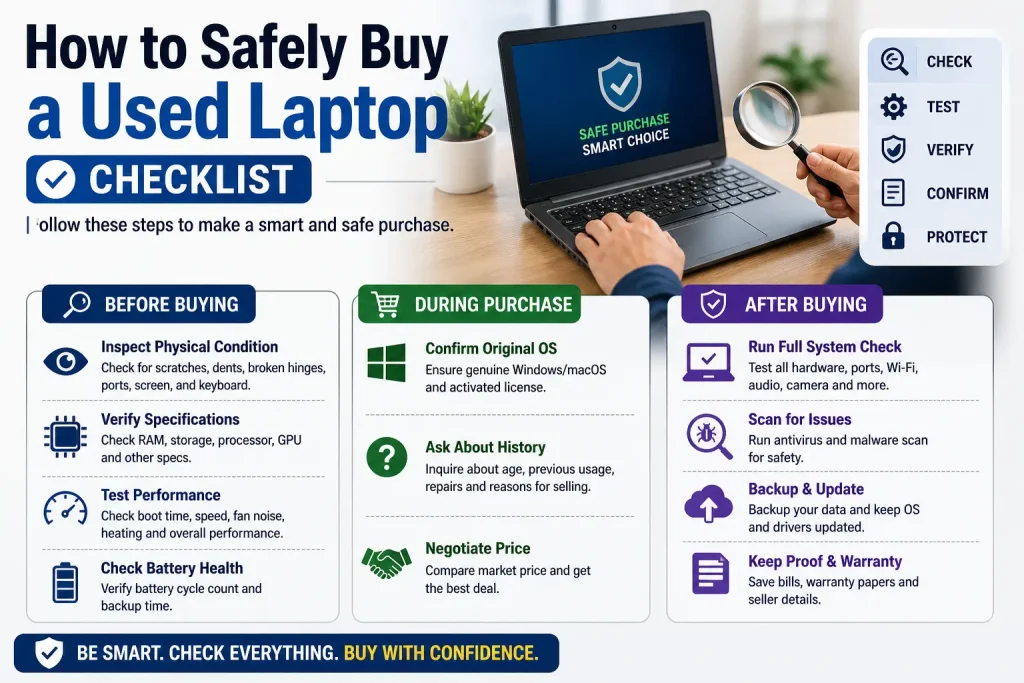
To avoid mistakes, follow this simple checklist:
Before Buying:
- Inspect physical condition
- Verify specs
- Test performance
- Check battery health
During Purchase:
- Confirm original OS
- Ask about history
- Negotiate price
After Buying:
- Run antivirus scan
- Reset the system
- Update software
Best Places to Buy Used Laptops
Choosing the right platform is equally important.
Recommended Options:
- Trusted IT stores (e.g., Creative IT)
- Certified refurbishers
- Verified online marketplaces
Avoid:
- Unknown sellers with no reviews
- Deals that seem “too good to be true”
Final Thoughts
Buying a used laptop can save you money, but only if you avoid common mistakes. Therefore, always inspect the device, verify specifications, and choose a trusted seller like Creative IT.
In conclusion, a careful approach ensures you get the best value without compromising quality
Read More: Laptop Running Slow? 12 Quick Fixes Before You Visit a Repair Shop
FAQs
Yes, it is worth it if you check the condition, specs, and seller reliability. Otherwise, it can be risky.
Typically, a used laptop can last 2–5 years, depending on usage and condition.
Refurbished laptops are safer because they are tested and often come with a warranty.
It depends on your needs, but mid-range used laptops usually offer the best value.
Avoid damaged devices, unknown sellers, and laptops without proper testing or warranty.