
Smartphone battery life tips have become more important than ever in 2026 because modern phones now handle AI features, high refresh displays, advanced cameras, and powerful apps all day long.
As a result, many users struggle with fast battery drain and reduced battery health over time. Fortunately, with the right habits and optimization methods, you can significantly improve battery performance and keep your phone running efficiently for years.
Whether you use an Android device or an iPhone, these expert smartphone battery life tips will help you reduce unnecessary battery drain, improve charging habits, and extend your phone’s long term battery health.
At Creative IT, we regularly help users diagnose battery problems, optimize device performance, and repair smartphones affected by battery degradation.
Why Smartphone Batteries Drain Faster in 2026
Modern smartphones are more powerful than ever. However, this power comes with increased energy consumption. Features such as AI assistants, 5G connectivity, background syncing, always on displays, and gaming apps continuously use battery power.
Common Reasons for Fast Battery Drain
| Cause | Impact on Battery |
|---|---|
| High screen brightness | Consumes excessive power |
| 5G connectivity | Uses more energy than 4G |
| Background apps | Drains battery silently |
| Overheating | Damages long-term battery health |
| Fast charging misuse | Reduces battery lifespan |
| Poor charging habits | Causes faster degradation |
Therefore, understanding how batteries work is the first step toward better smartphone performance.
Smartphone Battery Life Tips for Daily Use
Reduce Screen Brightness and Refresh Rate
The display is one of the biggest battery consumers on any smartphone. Consequently, lowering screen brightness can dramatically improve battery life.
Best Practices
- Enable adaptive brightness
- Reduce brightness manually indoors
- Switch from 120Hz to 60Hz refresh rate when possible
- Use dark mode on OLED displays
Moreover, dark mode not only looks modern but also saves noticeable power on AMOLED screens.
Use Battery Saver Mode Regularly
Most smartphones now include advanced battery optimization systems. Therefore, enabling battery saver mode during low battery situations can extend usage time significantly.
Battery Saver Features Include
- Reduced background activity
- Lower screen performance
- Limited app syncing
- Reduced visual effects
In addition, modern AI battery systems can automatically optimize app usage based on your habits.
Close or Restrict Background Apps
Many apps continue running even when you are not actively using them. As a result, they silently consume battery power throughout the day.
Apps That Commonly Drain Battery
- Social media apps
- Navigation apps
- Streaming services
- Fitness tracking apps
- Mobile games
How to Reduce Background Usage
On Android
- Go to Settings → Battery → App Usage
- Restrict unnecessary apps
On iPhone
- Disable Background App Refresh
Furthermore, uninstalling unused apps can improve both battery life and phone performance.
Best Charging Habits to Improve Battery Health
Avoid Charging to 100% All the Time
One of the most effective smartphone battery life tips is maintaining proper charging cycles. Lithium ion batteries perform best when kept between 20% and 80%.
Ideal Charging Range
| Battery Percentage | Recommendation |
|---|---|
| 0%–10% | Avoid frequently |
| 20%–80% | Ideal range |
| 100% overnight charging | Limit when possible |
Therefore, charging your phone partially instead of fully can slow long term battery degradation.
Avoid Cheap Chargers and Cables
Low-quality chargers may damage your battery and internal circuits. Consequently, using certified accessories is extremely important.
Choose Chargers That Are:
- Manufacturer-approved
- Voltage protected
- Fast-charging compatible
- Heat resistant
At Creative IT, technicians often see battery issues caused by poor quality charging accessories.
Do Not Use Your Phone While Charging
Using heavy apps during charging increases heat production. As a result, battery stress and internal temperature rise significantly.
Activities to Avoid While Charging
- Gaming
- Video editing
- Streaming videos
- Using hotspot
- Recording 4K video
Instead, allow your device to charge with minimal usage whenever possible.
Smartphone Battery Life Tips for Gaming Phones
Mobile gaming has become extremely demanding in 2026. Therefore, gamers experience faster battery drain compared to regular users.
Optimize Gaming Settings
Recommended Gaming Adjustments
- Lower graphics settings
- Reduce frame rate
- Disable unnecessary notifications
- Turn off Bluetooth if unused
- Use Wi-Fi instead of mobile data
Additionally, many gaming phones now include dedicated battery bypass charging modes that reduce battery stress while plugged in.
Prevent Phone Overheating
Heat is one of the biggest enemies of battery health. Consequently, preventing overheating should be a priority.
Tips to Reduce Heat
- Avoid direct sunlight
- Remove thick phone cases during gaming
- Avoid charging under pillows
- Keep software updated
- Use cooling accessories if needed
At Creative IT, overheating is one of the most common causes of swollen batteries and reduced performance.
Advanced Smartphone Battery Life Tips in 2026
Use AI Battery Optimization Features
Modern smartphones now use AI to monitor usage patterns. As a result, devices can automatically reduce battery consumption.
AI Features Include
- Adaptive battery management
- Smart app sleeping
- Charging optimization
- Usage prediction
For example, some phones learn your charging schedule and stop charging at 80% overnight until just before you wake up.
Keep Your Software Updated
Software updates often include battery optimization improvements. Therefore, updating your operating system can enhance battery efficiency.
Benefits of Updates
- Improved battery management
- Reduced background drain
- Better thermal performance
- Security improvements
However, always install updates from official sources only.
Disable Unnecessary Connectivity Features
Wireless connections constantly search for signals. Consequently, they consume battery even when unused.
Turn Off When Not Needed
- Bluetooth
- GPS
- NFC
- Mobile hotspot
- AirDrop
- Nearby device scanning
Moreover, airplane mode can dramatically improve standby battery life in low-signal areas.
Signs Your Smartphone Battery Needs Replacement
Even with proper care, batteries naturally degrade over time. Therefore, recognizing warning signs early is important.
Common Battery Failure Symptoms
Your Battery May Need Replacement If:
- Battery drains extremely fast
- Phone overheats frequently
- Device shuts down randomly
- Battery percentage jumps suddenly
- Phone becomes swollen
- Charging becomes unusually slow
If you notice these symptoms, professional battery testing is recommended.
At Creative IT, experienced technicians can diagnose battery health issues and recommend safe replacement options.
Best Smartphone Settings for Longer Battery Life
Recommended Battery Optimization Settings
| Setting | Recommended Action |
|---|---|
| Brightness | Auto or low |
| Refresh rate | 60Hz when possible |
| Always-On Display | Disable |
| Location access | Use only while app active |
| Background sync | Restrict unnecessary apps |
| Widgets | Minimize excessive widgets |
These small adjustments can collectively improve daily battery life significantly.
How 5G Affects Smartphone Battery Life
5G networks provide faster internet speeds. However, they also consume more power than previous network generations.
Reduce 5G Battery Drain
Helpful Tips
- Use Wi-Fi whenever available
- Switch to 4G in weak 5G areas
- Disable automatic network switching
- Limit background downloads
As 5G networks improve globally, battery efficiency is also expected to improve gradually.
Eco-Friendly Benefits of Better Battery Care
Extending battery lifespan is not only good for your wallet but also better for the environment.
Environmental Advantages
- Reduces electronic waste
- Minimizes battery disposal pollution
- Lowers manufacturing demand
- Extends smartphone usability
Therefore, proper battery maintenance contributes to both sustainability and cost savings.
Professional Battery Repair vs DIY Replacement
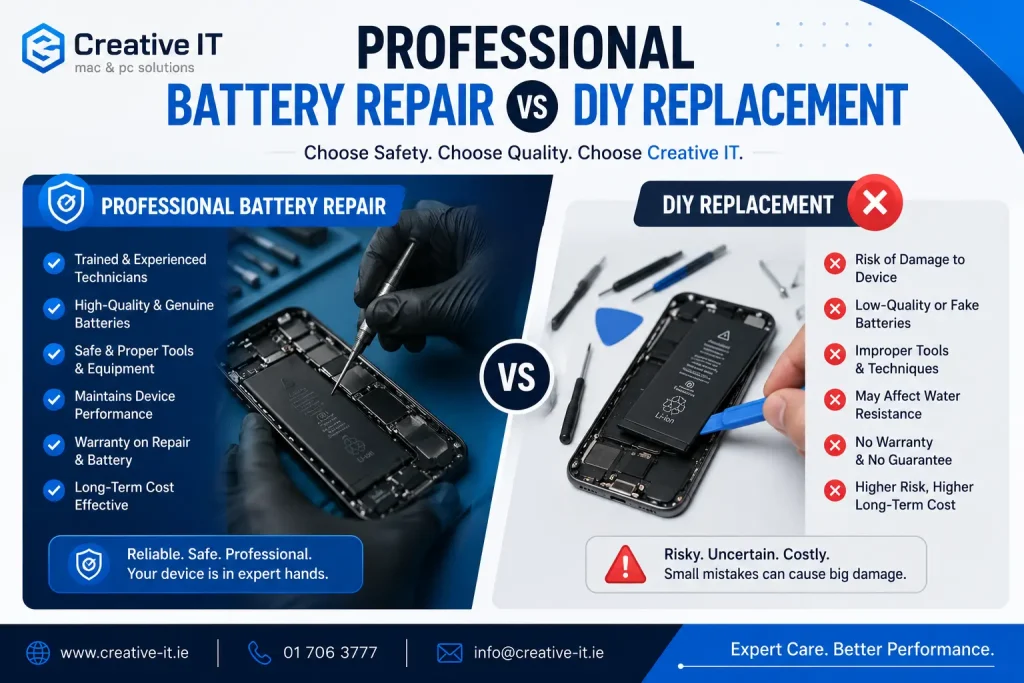
Some users attempt battery replacement themselves. However, modern smartphones are highly delicate and difficult to open safely.
Risks of DIY Battery Replacement
- Screen damage
- Water resistance loss
- Battery puncture hazards
- Internal cable damage
Consequently, professional repair services are usually the safest option.
At Creative IT, trained repair specialists use proper tools and genuine components to ensure safe battery replacement.
Final Thoughts
Following the right smartphone battery life tips in 2026 can dramatically improve your device’s performance, battery health, and overall lifespan. Although modern smartphones are more power-hungry than ever, smart charging habits, optimized settings, and regular maintenance can help you avoid rapid battery degradation.
From reducing screen brightness to avoiding overheating and managing background apps, small daily improvements make a major difference over time.
Moreover, if your phone already shows battery health problems, professional diagnostics and repair services from Creative IT can help restore performance safely and efficiently.
By implementing these proven battery-saving strategies, you can enjoy longer screen time, better device reliability, and fewer charging interruptions throughout your day.
FAQ’s
You can quickly improve battery life by reducing brightness, enabling battery saver mode, restricting background apps, and disabling unused connectivity features like Bluetooth and GPS.
Modern smartphones include protection systems. However, charging to 100% overnight regularly may still increase long-term battery wear. Therefore, maintaining an 80% charging limit is often better.
Fast charging generates additional heat. While modern devices are designed to handle it safely, excessive fast charging over long periods may reduce battery lifespan gradually.
Sometimes updates temporarily increase background activity and indexing. However, if battery drain continues for several days, app optimization or battery diagnostics may be needed.
Most smartphone batteries last between 2 to 4 years depending on usage habits, charging cycles, and environmental conditions.
Yes. Excessive heat is one of the leading causes of battery degradation and swelling. Therefore, keeping your device cool is essential for long-term health.
Yes, especially on OLED and AMOLED displays. Dark mode reduces power consumption because black pixels use less energy.
You can visit Creative IT for professional smartphone diagnostics, battery testing, and safe replacement services.