
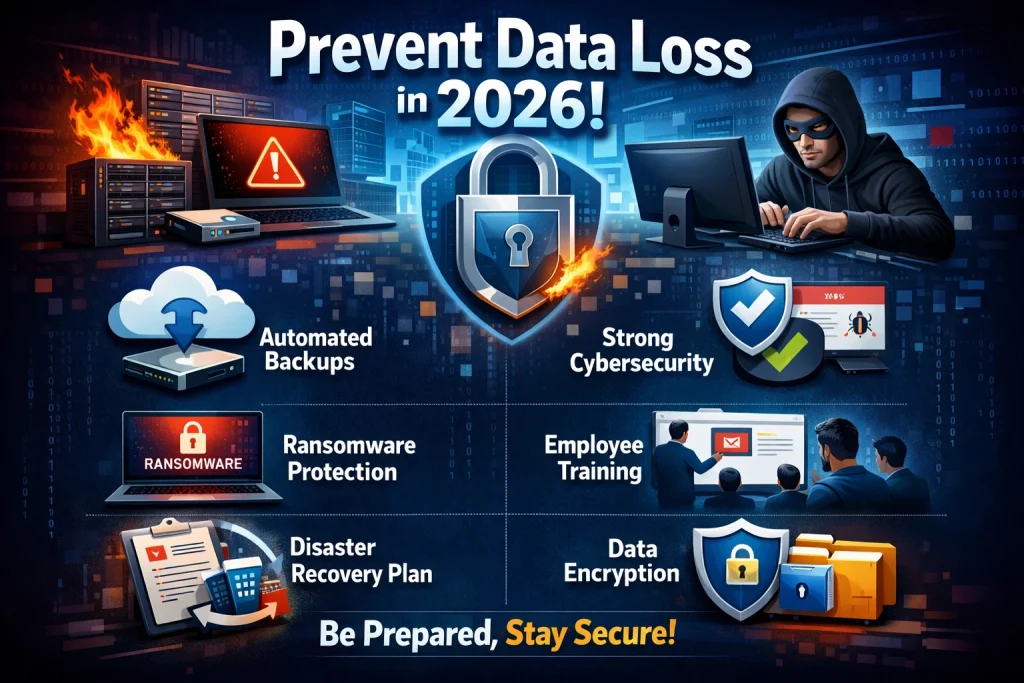
Data is the backbone of every modern business and digital life.
However, as we step into 2026, cyber threats, hardware failures, and human errors are becoming more frequent and sophisticated.
Therefore, preventing data loss is no longer optional—it is essential.
In this comprehensive guide, you’ll learn practical, SEO-driven, and future-proof strategies to protect your data effectively.
Whether you are a business owner or an individual user, these insights will help you stay secure and prepared.
Table of contents
- Why Data Loss Prevention Matters in 2026
- Key Strategies to Prevent Data Loss
- 1. Implement a Strong Backup Strategy
- 2. Use Reliable Cloud Storage Solutions
- Benefits of Cloud Storage
- 3. Strengthen Cybersecurity Measures
- 4. Employee Training & Awareness
- 5. Automate Data Backup Processes
- Why Automation Matters
- 6. Use Data Encryption
- 7. Regular System Updates & Maintenance
- What Should You Update?
- 8. Disaster Recovery Planning
- Advanced Data Loss Prevention Techniques (2026 Trends)
- Role of Professional IT Services
- Best Practices Checklist
- Common Mistakes to Avoid
- Future of Data Protection
- Conclusion
- (FAQs) – Data Loss Prevention in 2026
Why Data Loss Prevention Matters in 2026
First of all, data loss can cost more than just money. It can damage your reputation, disrupt operations, and even lead to legal issues.
Moreover, with the rise of AI-powered cyberattacks and ransomware, the risks have increased significantly.
As a result, companies must adopt proactive strategies instead of reactive solutions.
Common Causes of Data Loss
Before we move forward, it’s important to understand the main causes:
- Hardware failure
- Human error (accidental deletion)
- Cyberattacks (ransomware, phishing)
- Natural disasters
- Software corruption
Because these risks are unavoidable, prevention strategies must be layered and reliable.
Key Strategies to Prevent Data Loss
Now, let’s explore the most effective and modern techniques to prevent data loss in 2026.
1. Implement a Strong Backup Strategy
Without a doubt, backups are your first line of defense. However, not all backups are equal.
Types of Backups You Should Use
| Backup Type | Description | Best Use Case |
|---|---|---|
| Full Backup | Copies all data | Weekly backups |
| Incremental Backup | Saves only changed data | Daily backups |
| Cloud Backup | Stores data online | Remote accessibility |
| Hybrid Backup | Combines cloud + local storage | Maximum security |
Therefore, using a 3-2-1 backup rule is highly recommended:
- 3 copies of data
- 2 different storage types
- 1 offsite backup
As a result, your data remains safe even if one system fails.
2. Use Reliable Cloud Storage Solutions
In 2026, cloud storage is no longer optional—it is essential.
On one hand, it offers scalability. On the other hand, it ensures remote access and disaster recovery.
Benefits of Cloud Storage
- Automatic backups
- High-level encryption
- Accessibility from anywhere
- Reduced hardware dependency
However, you must choose trusted providers and configure security properly.
3. Strengthen Cybersecurity Measures
Cybersecurity plays a critical role in preventing data loss.
Because hackers are becoming more advanced, basic security is no longer enough. Instead, you must implement layered protection.
Essential Security Practices
- Use strong passwords and password managers
- Enable multi-factor authentication (MFA)
- Install antivirus and anti-malware software
- Keep systems updated regularly
Furthermore, regular security audits help identify vulnerabilities early.
4. Employee Training & Awareness
Surprisingly, human error is one of the biggest causes of data loss.
Therefore, training employees is just as important as installing security tools.
Key Training Areas
- Recognizing phishing emails
- Safe file handling practices
- Secure password management
- Data sharing protocols
As a result, your team becomes your first line of defense instead of a weak point.
5. Automate Data Backup Processes
Manual backups are risky because they rely on human consistency.
On the contrary, automated backups ensure that your data is always protected without interruption.
Why Automation Matters
- Reduces human error
- Ensures regular backups
- Saves time and effort
- Improves reliability
Consequently, automation increases efficiency and security at the same time.
6. Use Data Encryption
Encryption protects your data even if it gets stolen.
In simple terms, it converts your data into unreadable code that only authorized users can access.
Types of Encryption
- Data-at-rest encryption
- Data-in-transit encryption
- End-to-end encryption
Therefore, even if hackers access your files, they won’t be able to use them.
7. Regular System Updates & Maintenance
Outdated systems are one of the easiest targets for cybercriminals.
Hence, keeping your software updated is critical.
What Should You Update?
- Operating systems
- Applications
- Security patches
- Firmware
As a result, vulnerabilities are minimized, and performance improves.
8. Disaster Recovery Planning
Even with the best prevention strategies, accidents can still happen.
Therefore, having a disaster recovery plan is essential.
What a Good Plan Includes
- Backup recovery procedures
- Emergency contacts
- Downtime minimization strategy
- Data restoration timeline
Consequently, your business can recover quickly without major losses.
Advanced Data Loss Prevention Techniques (2026 Trends)
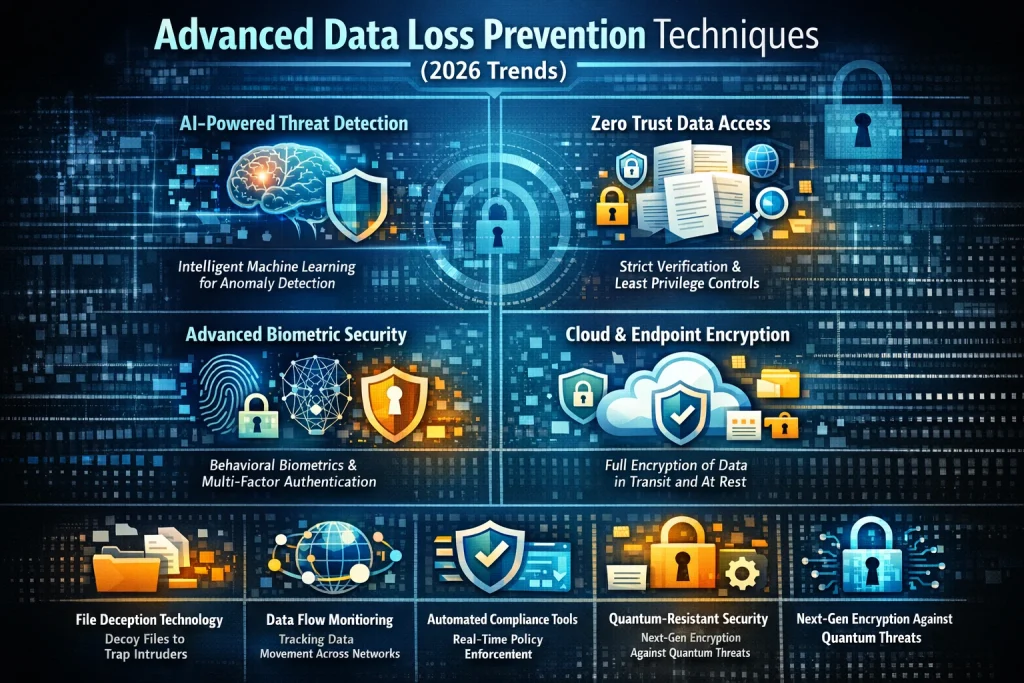
As technology evolves, new solutions are emerging to enhance data protection.
1. AI-Powered Threat Detection
AI can identify unusual behavior and prevent attacks before they happen.
2. Zero Trust Security Model
This model assumes that no user or device is trusted by default.
3. Blockchain for Data Integrity
Blockchain ensures that data cannot be altered without detection.
Therefore, adopting these technologies gives you a competitive edge.
Role of Professional IT Services
While DIY solutions can work, professional IT support provides advanced protection.
For example, Creative IT offers modern data protection solutions tailored to businesses.
How Creative IT Can Help
- Managed backup solutions
- Cybersecurity implementation
- Cloud migration services
- Disaster recovery planning
As a result, businesses can focus on growth while experts handle security.
Best Practices Checklist
To summarize, here’s a quick checklist you can follow:
- Use the 3-2-1 backup rule
- Enable multi-factor authentication
- Automate backups
- Train employees regularly
- Keep systems updated
- Encrypt sensitive data
- Test your recovery plan
By following these steps, you significantly reduce the risk of data loss.
Common Mistakes to Avoid
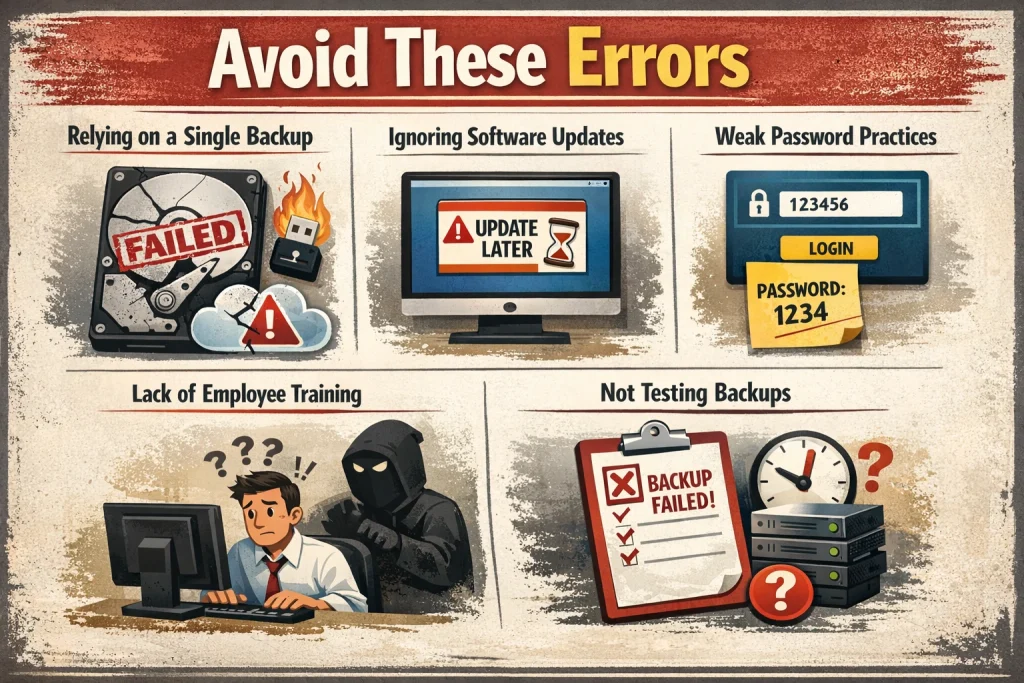
Even with good intentions, many people make critical mistakes.
Avoid These Errors
- Relying on a single backup
- Ignoring software updates
- Weak password practices
- Lack of employee training
- Not testing backups
Therefore, avoiding these mistakes is just as important as implementing strategies.
Future of Data Protection
Looking ahead, data protection will become even more sophisticated.
On one side, cyber threats will grow. On the other side, security technologies will evolve rapidly.
What to Expect
- Increased use of AI in cybersecurity
- Stronger privacy regulations
- More cloud-based solutions
- Advanced encryption standards
Consequently, staying updated will be crucial for long-term success.
Conclusion
In 2026, preventing data loss requires a proactive, multi-layered approach.
Simply relying on basic backups is no longer enough. Instead, businesses and individuals must combine cloud solutions, cybersecurity, automation, and employee training.
Moreover, partnering with experts like Creative IT can further strengthen your data protection strategy.
Ultimately, the goal is not just to store data—but to secure it, protect it, and ensure its availability at all times.
Read more: Why Refurbished Laptops Are the Smartest Tech Investment in 2026
Cloud Backup vs Traditional Backup: Which One Actually Protects Your Business Data?
(FAQs) – Data Loss Prevention in 2026
Data loss refers to the accidental or intentional destruction, deletion, or corruption of data. It is dangerous because it can lead to financial loss, business downtime, and reputational damage. Moreover, in 2026, cyber threats make data loss even more critical to prevent.
The best approach is a combination of strategies. For example, you should use regular backups, strong cybersecurity measures, and data encryption. Additionally, following the 3-2-1 backup rule ensures maximum protection.
Ideally, you should back up your data daily. However, critical business data may require real-time or hourly backups. Therefore, automated backup systems are highly recommended to maintain consistency.
Yes, cloud storage is generally safe if configured properly. Most providers offer encryption and advanced security features. However, you should always use strong passwords and enable multi-factor authentication for extra protection.
The 3-2-1 rule means:
Keep 3 copies of your data
Store them on 2 different types of media
Keep 1 copy offsite
As a result, your data remains secure even if one system fails.