
If you’re planning to invest in a custom gaming PC, one big question comes up: should you build it yourself or buy a pre-built system?
This decision isn’t just about money it’s about performance, flexibility, time, and your long-term goals as a gamer. Whether you’re a beginner or someone exploring serious gaming setups, this guide will help you make the right choice.
Let’s break it down in a practical, real-world way.
Table of contents
- Why Custom Gaming PCs Are Worth It
- Build vs Buy: Quick Overview
- Building a Custom Gaming PC
- Buying a Pre-Built Gaming PC
- Real-Life Scenario: What Most Gamers Do
- Where Creative IT Comes In
- Key Factors to Consider Before Deciding
- Hybrid Approach: The Smart Middle Option
- Build vs Buy: Which One Is Better?
- Pro Tips for Gamers
- FAQ’s
- Final Thoughts
Why Custom Gaming PCs Are Worth It
Before comparing options, it’s important to understand why custom gaming PCs are so popular.
Unlike consoles or standard desktops, custom PCs offer:
- Better performance for modern AAA games
- Upgrade flexibility over time
- More control over components
- Improved cooling and longevity
As a result, gamers can tailor systems for titles like Warzone, GTA V, or Cyberpunk without limitations.
Build vs Buy: Quick Overview
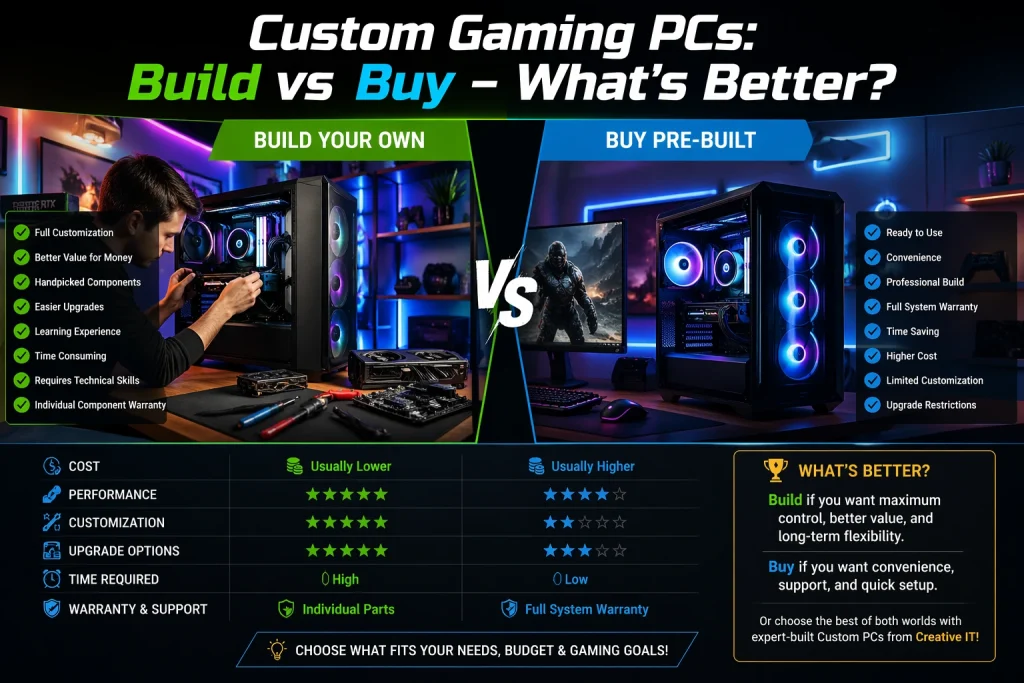
Here’s a simple comparison to get started:
| Factor | Build Your Own PC | Buy Pre-Built PC |
|---|---|---|
| Cost | Usually cheaper | Slightly expensive |
| Performance | Fully customizable | Limited customization |
| Time Required | High | Low |
| Skill Needed | Medium to high | None |
| Warranty | Individual parts | Full system warranty |
| Upgrade Options | Flexible | Sometimes restricted |
Now let’s dive deeper.
Building a Custom Gaming PC
Pros of Building Your Own PC
1. Full Control Over Components
You decide everything from GPU to cooling system. This means you can prioritize performance where it matters most.
2. Better Value for Money
When you build your PC, you avoid brand markups. Therefore, you often get better specs for the same price.
3. Easier Upgrades
Since you understand your system inside-out, upgrading becomes simple and cost-effective.
4. Learning Experience
Building a PC teaches you valuable skills. Over time, you’ll become confident in troubleshooting and optimizing performance.
Cons of Building a PC
1. Time-Consuming
Researching parts, assembling, and installing software can take hours or even days.
2. Technical Complexity
If you’re new, you might face issues like compatibility errors or BIOS setup challenges.
3. No Single Warranty
Each component has its own warranty, which can be frustrating if something goes wrong.
Buying a Pre-Built Gaming PC
Pros of Buying a Pre-Built PC
1. Convenience
Everything is ready to go. You just plug in and start gaming.
2. Warranty & Support
Most pre-built systems come with full support. If something fails, you don’t need to diagnose it yourself.
3. Time-Saving
This is perfect if you don’t want to spend time researching or assembling components.
4. Professional Build Quality
Companies ensure proper cable management and airflow, which improves performance and lifespan.
Cons of Buying a Pre-Built PC
1. Higher Cost
Pre-built systems often include assembly fees and brand markup.
2. Limited Customization
You might not get exact components or brands you prefer.
3. Upgrade Restrictions
Some systems use proprietary parts, making upgrades harder.
Real-Life Scenario: What Most Gamers Do
Let’s make it practical.
- Beginner gamer Usually buys pre-built
- Intermediate gamer Starts upgrading parts
- Advanced gamer Builds fully custom PCs
For example, many users start with a pre-built system and later upgrade the GPU or RAM once they gain confidence.
Where Creative IT Comes In
If you’re stuck between building and buying, this is where Creative IT becomes useful.
Creative IT offers:
- Custom-built gaming PCs tailored to your needs
- Expert consultation for component selection
- Reliable after sales support
- Upgrade friendly systems
So instead of struggling alone, you get the best of both worlds: customization + professional support.
Key Factors to Consider Before Deciding
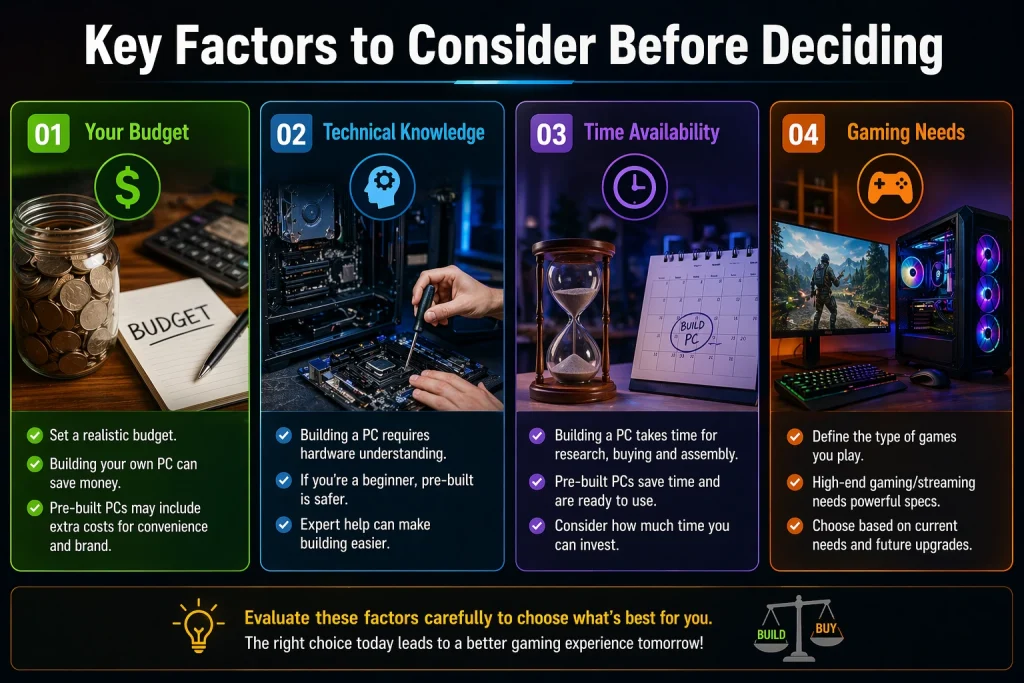
1. Your Budget
If you want maximum performance per rupee, building is better. However, if convenience matters more, buying is smarter.
2. Technical Knowledge
If you’re not comfortable with hardware, a pre-built PC saves you from costly mistakes.
3. Time Availability
Building requires research and patience. Buying is instant.
4. Gaming Needs
- Casual gaming Pre-built is fine
- Competitive gaming Custom build is better
- Streaming/content creation Custom build recommended
Hybrid Approach: The Smart Middle Option
Interestingly, many gamers now choose a hybrid solution:
Get a custom-built PC from experts like Creative IT
This way:
- You avoid technical headaches
- You still get optimized components
- You can upgrade easily later
It’s often the most practical option in 2026.
Build vs Buy: Which One Is Better?
Here’s the honest answer:
- Build your own PC if you want maximum control, better value, and long-term flexibility
- Buy a pre-built PC if you want convenience, support, and quick setup
However, if you want a balance of both, going with a custom-built service like Creative IT is often the best choice.
Pro Tips for Gamers
Before making a decision, keep these tips in mind:
- Always prioritize GPU over RGB lighting
- Choose SSD over HDD for faster performance
- Don’t overspend on unnecessary components
- Check compatibility before buying parts
- Plan for future upgrades
These small decisions can significantly impact your gaming experience.
FAQ’s
Building a PC is usually cheaper because you avoid extra costs like labor and branding. However, deals on pre-built PCs can sometimes match pricing.
It can be challenging at first, but with guides and practice, it becomes easier. Still, beginners often prefer pre-built systems.
A good gaming PC can last 5–7 years, especially if you upgrade components like GPU or RAM over time.
Yes, but it depends on the system. Some pre-built PCs limit upgrades due to proprietary parts.
Yes, reliable providers like Creative IT offer expert-built systems, ensuring performance, compatibility, and support.
The GPU (graphics card) is the most important for gaming performance, followed by CPU and RAM.
Final Thoughts
Choosing between building and buying a custom gaming PC depends on your goals, skills, and priorities.
If you enjoy learning and want complete control, building your own PC is a rewarding experience.
On the other hand, if you value time and simplicity, buying a pre-built system is the better route.
Still unsure? Then a custom-built solution from Creative IT gives you the perfect balance—power, performance, and peace of mind.
Read More: PlayStation & Xbox Repair: Common Problems and Solutions.